Drag it.
Tap a key.
Drop it.

Pomelo opens a dial of formats and tools right under your cursor while you're dragging a file. Drop it on one, and the new file lands beside the original.

Download for Windows

This is a working demo. Move across the dial and click an option. It doesn't touch any files.

Nothing gets uploaded. Every conversion runs on your own PC, with no account and no internet needed.

Originals stay put. Results are saved as new files, and existing files are never overwritten.

No Microsoft Office needed. Office files go through an engine built into Pomelo, so Word never pops up.

How it works

Pick up

Start dragging any file in File Explorer, the way you always do. There's no app to open, because Pomelo waits in the system tray.

Tap

Shift for formats, Ctrl for tools, Alt for actions. Let go of the key and the wheel stays open until you drop.

Drop

Land on a choice and carry on. Press Esc if you change your mind. Not dragging? Select files and press Ctrl+Alt+Space.

59 file extensions go in.
Only what works comes up.

The dial reads what you're dragging and offers just the conversions that make sense for it.

You dragWhich includesYou can get
ImagesJPG, PNG, WEBP, HEIC, TIFF, AVIF, BMP, GIF, SVG, ICOJPG, PNG, WEBP, HEIC, TIFF, AVIF, BMP, PDF, DOCX
VideoMP4, MOV, MKV, WEBM, AVI, WMV, M4V, MPGMP4, MOV, MKV, WEBM, AVI, WMV, GIF, MP3
AudioMP3, M4A, WAV, FLAC, OGG, Opus, AIFF, WMA, AACMP3, M4A, WAV, FLAC, OGG, Opus, AIFF, WMA
PDFAny PDFDOCX, PPTX, EPUB, TXT, MD, JPG, PNG, XLSX
DocumentsDOCX, DOC, MD, TXT, EPUB, RTF, ODT, HTMLPDF, DOCX, MD, TXT, EPUB, HTML
SlidesPPTX, PPT, ODPPDF, JPG, PNG, PPTX
SpreadsheetsXLSX, XLS, ODS, CSV, TSVXLSX, ODS, CSV, TSV, PDF
SubtitlesSRT, VTTSRT, VTT, TXT
Archives, foldersZIP, TAR, GZ, TGZ, RAR, 7ZZIP, TAR, GZIP

Hold Ctrl and it's a toolbox.

22 tools, matched to the file you're holding. Each one saves a new copy.

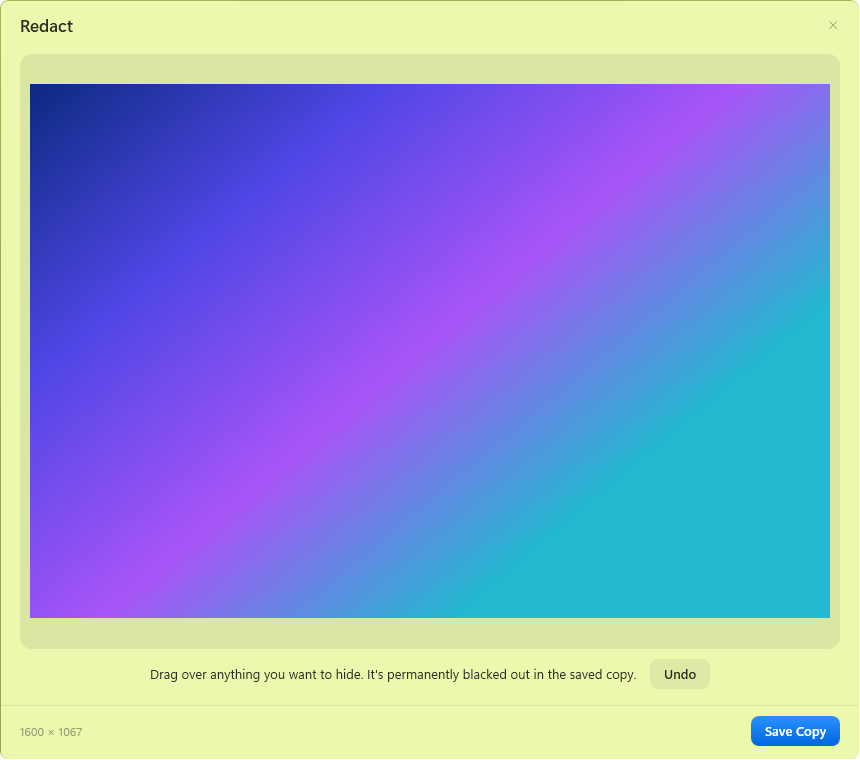
The Pomelo Redact window showing a photo

Images

Compress, resize, crop, annotate and adjust photos. Redact burns solid black into the saved copy, so nothing recoverable stays underneath. You can also add a backdrop, read QR codes, strip metadata, make collages, or combine images into a PDF.

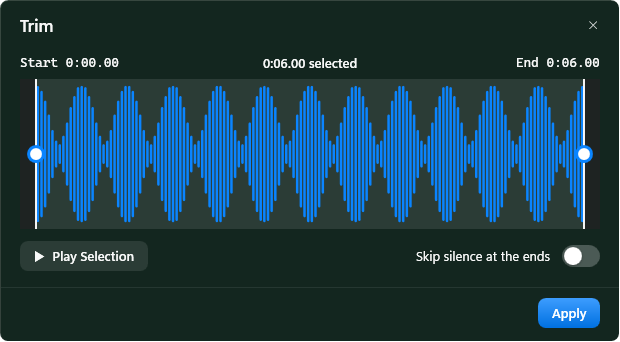
The Pomelo Trim Audio window with a waveform and two drag handles

Audio and video

Trim, split, join, compress and change speed. Normalize volume, bleep out words, mute a video, or save a single frame.

PDFs

Merge, split, reorder or delete pages, compress, and remove metadata.

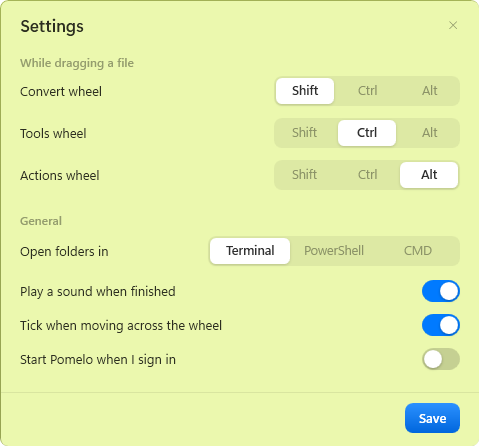
Pomelo Settings, with key choices and switches

Quick actions

Hold Alt to share a file, pin it in a small tile while you find its destination, copy it, move it, copy its path, or open a terminal there.

Your keys, your way

Choose which key opens which wheel, turn the sounds on or off, and start Pomelo when you sign in.

Good to know before you download.

Why does Windows warn me when I open it?

Pomelo isn't code-signed yet, so Windows SmartScreen may show "Windows protected your PC". Choose More info, then Run anyway. Antivirus tools may also be cautious, partly because Pomelo watches the keyboard and mouse to notice the drag gesture. It only reacts to that gesture, and never records or sends what you type.

How do I install it?

Unzip the download to a folder you'll keep, such as Documents, and run Pomelo.exe. It appears in the system tray, which may be under the ^ arrow. Keep the whole folder together, since the app needs everything inside it.

Why is the download so big?

Pomelo carries its own video, audio and document engines, so it works offline and you don't have to install anything else.

Which versions of Windows does it run on?

It's built for 64-bit Windows 11 and has been tested there. Windows 10 version 2004 or later should work, but hasn't been tested yet.

Will my Word documents look exactly the same?

Usually very close, but complex layouts can come out slightly differently than they would from Microsoft Word. PDF to PPTX puts each page on a slide as a picture, and compressing a PDF turns pages into images, so its text can't be selected afterwards.

What can't it do yet?

The wheel won't open when dragging from apps running as administrator. It doesn't read Apple Pages files or export PDF/A, and video crop and redact aren't available yet. Pomelo is Windows-only.

How do I uninstall it?

Turn off "Start Pomelo when I sign in" in Settings if you turned it on, quit from the tray icon, and delete the folder. Its settings live in %APPDATA%\Pomelo, which you can delete too.

Get Pomelo.

Your download has started.

  1. Unzip it to a folder you'll keep, such as Documents.
  2. Run Pomelo.exe. If Windows says "Windows protected your PC", choose More info, then Run anyway.
  3. Look in the system tray for the icon, then drag any file and tap Shift.